Now on the App Store
Your AI litigation workspace,
now on iPhone.
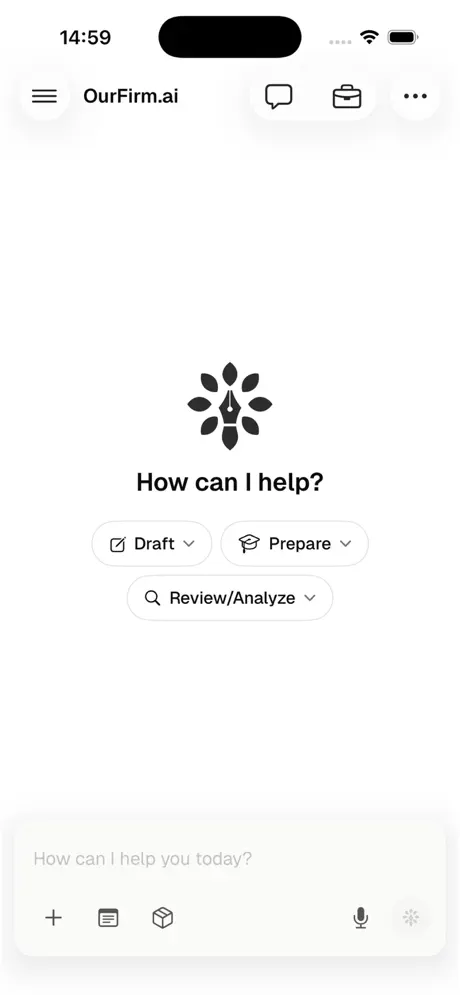
Litigators are not at their desks. The app puts research, drafting, citation verification and the whole case file where the work actually happens: the hallway outside the courtroom, the deposition suite, the train home.
Download on the App StoreFree on the App Store.
What it does
The same platform,
not a companion app
This is not a notifications shell with a login screen. The work you can start on the phone is the work you can start on the web: put a question to Stella, draft a motion or a discovery request from the record, verify a quotation and the authority behind it, search case law and dockets, open a matter and read the file. The point of the app is not that it is smaller. It is that the practice does not stop when you leave the office.
In the app
- 01Research and analysis
- 02Drafting and editing
- 03Citation verification
- 04Case file review
- 05Docket and filing search
- 06Matters and conversations
- 07Secure collaboration
- 08Continue from the web
Continuity
Pick up mid-sentence
Matters, conversations and documents are the same records on both surfaces, so there is no export step and nothing to reconcile. A draft you started at your desk is open on the phone before you reach the elevator, and the edits you make standing up are there when you sit back down.
On the App Store
Download nowOn security
Privileged material, on a device that leaves the building
A phone is the least controlled device a firm owns, which is the argument for taking its security posture more seriously than the desktop, not less. The full compliance position is on Trust & Security.
Encrypted in transit and at rest
The same encryption the web platform uses, on the same infrastructure. The device is a window onto the record, not a second copy of it.
Firm-level isolation
Per-firm and per-matter isolation carries over to the app. Another firm's work is not reachable from your session, on any surface.
Role-based access and audit logging
Whatever an attorney or staff member can reach on the web is what they can reach on the phone, and it is logged the same way. Permissions are set once, not per device.
No training on your data
Our contractual no-train commitment with our AI subprocessors is a term in the executed agreement, and it does not change because the request came from a phone.
Common questions
Before you install it
Is the OurFirm.ai iPhone app free?
Yes. The app is free to download from the App Store. It signs in with your existing OurFirm.ai account, so an active account is required to use it, and available features may depend on your firm's subscription and administrator settings.
Does the OurFirm.ai app work on iPad?
No. The app is built for iPhone and requires iOS 26.0 or later. It also runs on a Mac with an Apple M1 chip or later on macOS 26.0, and on Apple Vision with visionOS 26.0. iPad is not supported.
What can you do in the OurFirm.ai iPhone app?
AI-assisted legal research, analysis, drafting and editing; drafting motions, briefs, discovery requests and correspondence; verifying quotations, citations, propositions and authority; searching case law, dockets, filings and matter materials; reviewing and analyzing case files; organizing matters, conversations and documents; and collaborating securely with colleagues and clients.
Can I continue work I started in the OurFirm.ai web application?
Yes. Matters, conversations and documents are the same records on both surfaces, so a draft started on the web is available on the phone and edits made on the phone are there when you return to your desk. There is no export or sync step.
Is client data used to train AI models?
No. Customer documents are not used to train AI models. OurFirm.ai holds a contractual no-train commitment with its AI subprocessors, and the app carries the same encryption, firm-level isolation, role-based access controls and audit logging as the web platform.
Does the app give legal advice?
No. AI-generated content can contain errors. Attorneys and other qualified professionals must independently review and verify all research, citations, factual statements and generated documents before relying on or filing them. OurFirm.ai does not provide legal advice.
The standing rule
You still sign it
AI-generated content can contain errors, on any device. Every cite the platform produces runs through Check My Cites - the case exists, the quote is accurate, the pin cite is right, and the authority supports the proposition - and zero hallucinated citations have been filed by OurFirm.ai users to date. None of that removes the attorney from the loop. Review the output, and file it because you read it.
Get the app
It is free, and it takes a minute
Already a client? Download it and sign in with the account you use on the web. Not yet? Book a walkthrough and see the platform run before you commit to anything.